Writing
Create an AI children’s storybook
Plan a short picture story, keep one character consistent across AI pages, review every spread, export a color PDF, and publish on KDP or as a file.
Kids Books Maker editorialLast reviewed 4 min read
Key takeaways
- Write the story beats and character sheet before you generate art. AI fills pages; it does not invent a coherent book on its own.
- Same face, same outfit signature, same proportions on every page—or the book feels like a stack of unrelated pictures.
- Premium-color print costs more than black ink. A 32-page regular-trim book at $14.99 keeps about $5.39 per Amazon.com sale in our calculator—price color interiors higher than coloring books.
- Disclose AI-generated images on KDP when a tool drew the art. Read the pages out loud before anyone else does.
An illustrated children’s storybook made with AI is still a book: a character a child can follow, a problem that resolves, and pictures that match the words. The tools speed up drawing. They do not replace the plan, the review, or the publishing checklist.
Start with a story that fits the page count
32 pages is a common picture-book length. That is not room for a novel. Aim for one character, one desire, one obstacle, and a calm ending. Write a page list: which page shows which beat, and whether the page is words-and-picture or picture-led.
- Ages 3–5: short sentences, big emotions, familiar places (bed, park, kitchen).
- Ages 5–7: a slightly longer arc, still one clear problem.
- Wordless option: the pictures carry the plot—see wordless picture stories.
- Bedtime tone: soft stakes, no cliffhangers—see calm bedtime stories.
Put the character on paper once: species, size, colors, outfit, and one item they always have. That sheet is what you (and the tool) check against on page 18.
Generate art without losing the character
- Lock the character description before page one.
- Generate or draw spreads in story order, not randomly.
- Compare each new page to page 1. Redraw when the ears, snout, or outfit change.
- Keep text out of the illustration when type will sit in a separate text box.
- Ban famous characters and logos. Original only.
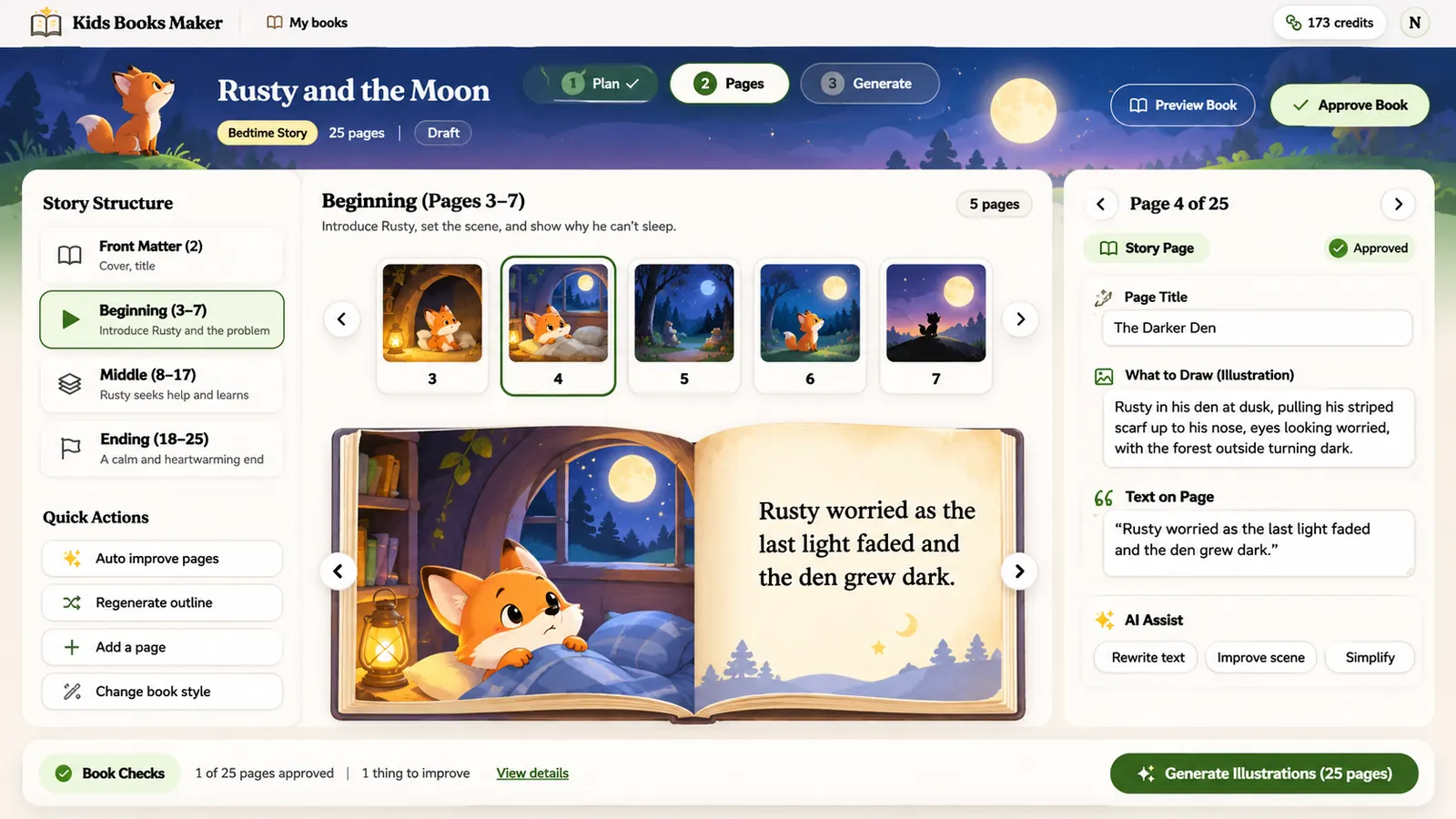
Our guide to keeping a character consistent across pages is the checklist. Kids Books Maker’s storybook maker plans the book from one sentence and reuses the same characters on every page—you still approve each one.
Review like a publisher
Read the whole book out loud. Then look at every page at print size—not zoomed on a phone.
- Extra fingers, merged animals, or unreadable signs in the background.
- Mood swings: a cozy bedtime story should not suddenly look like an action poster.
- Text that fights the art: too much copy on a busy spread.
- Cover thumbnail: character readable at the size of a postage stamp.
Export and publish
Amazon KDP paperback
- Color interior → premium color ink. Price above a black-ink coloring book so royalty survives print cost.
- Interior PDF and wraparound cover as separate files; follow trim, bleed and margins.
- Answer KDP’s AI question if a tool generated the images (content guidelines (opens in a new tab)).
- Order a printed proof. Color on screen is not color on paper.
Worked example from our royalty calculator: 32 pages, regular trim, premium color, list $14.99 → about $5.39 per Amazon.com sale after printing. Recheck royalty (opens in a new tab) and print cost (opens in a new tab) on upload day. Wider money context: how to make money with Amazon KDP.
Digital PDF
You can also sell or gift the same story as a PDF (for example on Etsy) sized for tablets or Letter printing. That path skips Amazon’s print cost but shifts delivery and refunds to you—see printable PDFs on Etsy for digital-listing habits (story PDFs follow the same download rules).
A practical sequence
- Sentence + age + page-beat list.
- Character sheet.
- Generate and lock pages in order.
- Read aloud; fix art and wording.
- Export PDF; build cover.
- Proof (home print or KDP proof).
- Disclose AI where required; publish.
- Sequel with the same hero—not a brand-new cast every time.
AI makes illustration faster. Parents still buy a clear cover, a gentle story, and pictures of the same friend on every page.
Frequently asked questions
Do I have to tell Amazon I used AI?
If an AI tool generated the images (or text), KDP asks you to disclose AI-generated content even after edits. AI used only to polish your own writing is treated differently. Read KDP’s current wording and our disclosure guide before you publish.
How many words should a picture book have?
Short. Many picture books for young children stay under a few hundred words total. If you need paragraphs on every page, you may be writing a chapter book. Match word count to the age you named in the plan.
Can I publish the same story as paperback and ebook?
Yes. KDP supports paperback and Kindle editions of the same title. Prepare files that fit each format; a fixed-layout picture book and a reflowable ebook are not the same export.
Sources
Checked on .
Keep reading
Turn your idea into a kids book
Plan every page with your characters kept the same, check each one, and download a PDF to print.
Create your free book